Marketplace›Dofus 3›SKYSE HDV AUTO SELL PRO - SMART PRICES - AUTO ZAAPS…
SKYSE HDV AUTO SELL PRO - SMART PRICES - AUTO ZAAPS - DISCORD
by christ_of_jallet 38 downloads


Description
✦ HDV AUTO SELL PRO ✦
Automate your HDV sales with a complete system for managing stock, prices and travel.
HDV AUTO SELL PRO analyzes the available items, selects the listings to create, checks market prices, protects your sales against certain sudden drops and automatically starts new cycles.
Once configured, you let the script handle your HDV visits.
✦ AUTOMATIC SELLING
- Automatic analysis of sellable items
- Automatic listing
- Management of lots of 1000, 100 and 10
- Single-unit sales possible for authorized items
- Configurable maximum number of listings
- Check for available HDV slots
- Check of the kamas needed for taxes
- Blacklist to protect items that must never be sold
No need to manually enter each item to sell.
You simply list the items to protect in your blacklist, then the script takes care of the rest according to your settings.
✦ 3 TYPES OF HDV
The script can handle up to 3 types of HDV:
- Resources HDV
- Consumables HDV
- Runes HDV
In Bonta and Brakmar, the 3 types of HDV can be used.
In Astrub, only the Resources HDV is supported.
Each HDV can be enabled or disabled directly in the configuration.
✦ AUTOMATIC CITY
Choose how it works:
0 = AUTO
1 = Bonta
2 = Brakmar
3 = Astrub
In AUTO mode, the script automatically looks for a city compatible with the enabled HDV.
It notably favors Zaaps that are already known and takes the accessibility of the destination into account.
If a city becomes inaccessible, the script can automatically try another compatible city.
✦ SMART ZAAPS
The travel system doesn't just walk to the HDV.
For long trips, the script can automatically use Zaaps.
If a required Zaap is not yet available, it can:
- walk to the Zaap
- discover it
- save it automatically
- remember that it is available
- reuse it in the next cycles
The information is kept in order to gradually improve future travel.
If a route fails, several attempts and recalculations can be made before another solution is used.
✦ SMART PRICES
Before putting an item up for sale, the script analyzes the market.
- Analysis of the current price
- Average price taken into account
- Configurable undercut
- Minimum safety price
- Automatic rejection of prices considered too low
- Automatic update of existing listings
- Avoids some unnecessary updates for just a few kamas
- Avoids needlessly undercutting yourself
This way you keep control over your pricing strategy while automating repetitive tasks.
✦ ANTI-DROP PROTECTION
The script includes a protection system against certain sudden market drops.
When a significant drop is detected, your listing is not lowered immediately.
The script can wait for a new observation to verify that the new price is really confirmed.
- Configurable suspicious-drop threshold
- Several confirmations before updating
- Minimum time between two checks
- Price stability check
- Persistent memory of suspicious drops
- Current price kept during the check
- Faster re-check when an anomaly is detected
The goal is to avoid automatically following a sudden drop without prior verification.
✦ STOCK MANAGEMENT
The script can identify the source of the stock visible from the HDV:
- Bank
- Bag
- Haven Bag
- Several sources at the same time
The detailed logs let you see the quantities detected and the origin of the items analyzed.
✦ UPDATING LISTINGS
Your existing listings can also be checked automatically.
When the market price changes, the script can:
- compare your price to the market
- determine a new target price
- respect your minimum safety price
- check whether the difference really justifies an update
- apply the anti-drop protection if necessary
- update the listing when the conditions are met
✦ DISCORD TRACKING
Keep an eye on your sales even when you're not in front of MoonBot.
Discord tracking is entirely optional.
The script has dedicated Webhooks that let you receive, among other things:
- summaries of HDV visits
- city used
- HDV analyzed
- items analyzed
- new listings created
- prices updated
- prices too low ignored
- anti-drop protections triggered
- value put up for sale
- estimated taxes
- confirmed sales
- offline sales detected
Similar sales can be grouped together to keep notifications more readable.
If no Webhook is entered, the script works normally but no Discord notification is sent.
✦ AUTOMATIC PAUSES
After each cycle, the script automatically waits before starting again.
You can customize:
- minimum pause duration
- maximum pause duration
- character connected during the pause
- automatic disconnection then reconnection
When a suspicious drop needs to be checked again, the script can temporarily shorten the delay before the next visit.
✦ CUSTOMIZABLE CONFIGURATION
The script is designed to be easily adjusted to your preferences.
In particular, you can change:
- the HDV used
- the city
- the blacklist
- the number of lots
- single-unit sales
- the minimum price
- the undercut
- price updating
- the anti-drop protection
- the delays between cycles
- the behavior when a route fails
- Discord notifications
- the level of detail of the logs
✦ IN SUMMARY
HDV AUTO SELL
RESOURCES
CONSUMABLES
RUNES
BONTA / BRAKMAR / ASTRUB
AUTO CITY
AUTO ZAAPS
ZAAP LEARNING
PERSISTENT MEMORY
BANK / BAG / HAVEN BAG
LOTS 1000 / 100 / 10 / 1
BLACKLIST
SMART PRICES
CONFIGURABLE UNDERCUT
PRICE FLOOR
AUTOMATIC UPDATING
ANTI-DROP PROTECTION
ROUTE RETRIES
CITY FALLBACK
CONFIRMED SALES
OFFLINE SALES
DISCORD TRACKING
AUTOMATIC PAUSES
DETAILED LOGS
A complete solution designed to automate your HDV visits while keeping control over your sales, your prices and your protections.
Instructions
✦ INSTRUCTIONS FOR USE ✦
HDV AUTO SELL PRO is already preconfigured with ready-to-use settings.
You don't have to change all the parameters before the first launch. You can keep the default values and customize only the options that match your use.
⚠️ Just remember to keep enough kamas on your character to pay the listing taxes.
✦ 1 — LOAD THE SCRIPT
The script can then be launched from your current position: it handles the travel to a compatible city and HDV by itself.
✦ 2 — CHOOSE YOUR CITY
The setting:
RETOUR_BANQUE = 0
lets you choose the city used.
0 = AUTO
1 = Bonta
2 = Brakmar
3 = Astrub
AUTO mode is recommended.
In AUTO mode, the script automatically looks for a city compatible with the HDV you have enabled.
It notably favors Zaaps that are already known and takes the accessibility of the destination into account.
If the chosen city remains inaccessible and:
FALLBACK_AUTRE_VILLE = true
the script can automatically try another compatible city.
✦ 3 — CHOOSE THE HDV TO USE
Three types of HDV can be enabled:
HDV_RESSOURCES = true
HDV_CONSOMMABLES = false
HDV_RUNES = false
true = HDV enabled
false = HDV disabled
In Bonta and Brakmar, you can use:
- Resources HDV
- Consumables HDV
- Runes HDV
In Astrub:
- Resources HDV only
The Consumables and Runes HDV are automatically ignored with Astrub.
✦ 4 — SET UP YOUR BLACKLIST
The setting:
black_list = {2475,2478,16503}
contains the IDs of the items that the script must never sell or update.
Simply add the IDs of the items you want to protect.
Example:
black_list = {2475,2478,16503,12345}
All the items in this list will be ignored by the selling system.
✦ 5 — SET THE LOTS
By default:
This corresponds to the maximum number of listings of the same item and the same lot size.
Example:
The script can have a maximum of 3 listings in lots of 1000 for the same item.
Setting:
disables the lots of 1000.
✦ SINGLE-UNIT SALES
Selling in lots of 1 is deliberately kept separate.
lots_de_1 = {}
Add to this list only the IDs of the items you allow to be sold as single units.
Example:
lots_de_1 = {12345,67890}
Then:
LOT_1_MAX = 2
defines the maximum number of single-unit listings for these items.
✦ 6 — MINIMUM SAFETY PRICE
The setting:
coef_prix_mini = 0.6
defines the minimum price accepted relative to the average price.
Example:
Average unit price: 10 000 kamas
Coefficient: 0.6
Minimum accepted price: about 6 000 kamas per unit.
If the calculated price falls below this limit, the script refuses the relevant listing or update.
If you are just starting out, you can keep the default value.
✦ 7 — UNDERCUT
The setting:
SOUS_COTE_KAMAS = 1
lets you define the gap from the competing price.
With:
SOUS_COTE_KAMAS = 1
the script generally aims for 1 kama below the selected market price.
With:
SOUS_COTE_KAMAS = 0
it tries to match the corresponding price.
✦ 8 — AUTOMATIC PRICE UPDATING
With:
ACTUALISER_PRIX = true
the script can analyze your existing listings and update them when the price difference is large enough.
It also avoids certain unnecessary updates when the difference is only very small.
If you don't want your existing listings to be readjusted:
ACTUALISER_PRIX = false
✦ 9 — ANTI-DROP PROTECTION
With:
ANTI_SCAM_PRIX = true
the protection against certain sudden market drops is enabled.
By default, a significant drop is not followed immediately.
The script can keep your current price and wait for a new observation before allowing a decrease.
The main settings are:
CHUTE_SUSPECTE_POURCENT = 10
From a 10% drop onward, the price can be considered suspicious.
CONFIRMATIONS_CHUTE = 2
The new price level must be confirmed several times.
DELAI_RECHECK_CHUTE_MIN = 10
A minimum delay is respected before a new confirmation.
TOLERANCE_CONFIRMATION_POURCENT = 5
The new observation must stay close enough to the previous one to be considered a confirmation.
If you are just starting out, it is recommended to leave these parameters at their default values.
✦ 10 — ZAAPS & TRAVEL
The setting:
DISTANCE_MIN_ZAAP = 8
defines the distance from which the script tries to favor using a Zaap.
If the required Zaap is not yet available, the script can:
- walk to the Zaap
- check that it is present
- save it
- remember it
- reuse it automatically in the next cycles
The setting:
MAX_RETRY_TRAJET = 3
defines the maximum number of attempts when a route fails or is interrupted.
You can generally keep these default values.
✦ 11 — PAUSES BETWEEN CYCLES
The settings:
PAUSE_MIN = 50
PAUSE_MAX = 80
With the default values, the script waits between 50 and 80 minutes before starting again.
✦ DISCONNECTING DURING THE PAUSE
DECO = false
The character stays connected during the pause.
DECO = true
The character disconnects during the pause and MoonBot then schedules its reconnection.
✦ 12 — DISCORD TRACKING
Discord is entirely optional.
If you want to receive the script's notifications, enter your Webhooks in:
WEBHOOK_HDV = ""
WEBHOOK_VENTE = ""
WEBHOOK_HDV
Lets you receive the summaries and information about the HDV visits.
WEBHOOK_VENTE
Lets you receive the notifications about detected sales.
You can also customize the displayed name with:
WEBHOOK_NOM = "MoonBot HDV"
⚠️ If no Webhook is entered, the script will work normally but no Discord notification will be sent.
✦ DETAILED DISCORD REPORTS
With:
DISCORD_DETAILLE = true
the reports can include more information:
- items analyzed
- new listings
- prices updated
- prices too low rejected
- protections triggered
- value put up for sale
- estimated taxes
- sales detected
With:
DISCORD_DETAILLE = false
the notifications stay simpler.
✦ 13 — MOONBOT LOGS
With:
LOG_DETAILLE = true
the MoonBot chat shows more information that is easy to follow during the cycles.
This lets you see, among other things, the detected stock, the chosen prices, the taxes, the travel and the actions performed.
If you prefer a lighter display:
LOG_DETAILLE = false
✦ ADVANCED SETTINGS
Some options are intended for more specific uses.
PAUSE_BANQUE = false
COFFRE_GUILDE = false
If you are just starting out, leave these two options set to false.
Generic management of a guild chest is not provided for without specific configuration.
✦ FIRST LAUNCH
For a simple first use, you can keep most of the settings at their default values.
Mainly check:
- the city or AUTO mode
- the HDV you want to use
- your blacklist
- your lots
- your pricing strategy
- your Webhooks if you want to use Discord
- that your character has enough kamas for the taxes
Then launch the script.
✦ GENERAL OPERATION ✦
Once launched, the script can automatically take care of:
CITY SELECTION
- TRAVEL
- ZAAP IF NEEDED
- HDV
- STOCK ANALYSIS
- MARKET ANALYSIS
- PRICE CHECK
- LISTING UPDATES
- PUTTING UP FOR SALE
- NOTIFICATIONS
- PAUSE
- NEW CYCLE
You choose your main settings, then the script automatically manages its HDV cycles.
The detailed settings and the script itself are in the app, once the script is in your library.
What’s new
- Version 1.0.3October 14, 2026
Version 1.0.3 — Optimisations et stabilité
- Optimisation du fonctionnement général du script.
- Amélioration de la gestion des déplacements et des trajets HDV.
- Ajustements visant à réduire les blocages.
- Amélioration de la stabilité des cycles automatiques.
- Corrections techniques diverses.
Merci pour vos retours et votre confiance !
- Version 1.0.2October 14, 2026
Version 1.0.2 — Correctif de chargement
- Correction d'un problème pouvant empêcher le chargement du script XP 1–200 sur MoonBot Unity.
- Ajustements techniques pour améliorer l'initialisation du script.
- Aucun changement nécessaire dans la configuration des utilisateurs.
- Version 1.0.1October 12, 2026
Mise à jour — HDV AUTO SELL PRO
- Configuration débutant : ajout d'explications pour faciliter la prise en main du script.
- Sécurité des prix : actualisation automatique des annonces désactivée par défaut.
- Protection des objets : conservation de la blacklist pour empêcher la vente des objets exclus.
- Protection anti-chute : conservation du contrôle des baisses suspectes de prix.
- Navigation : conservation de la sélection automatique des villes HDV et de la gestion des trajets.
- Ventes automatiques : conservation des lots configurables et du suivi des ventes.
- Version 1.0.0October 11, 2026
V1.1.3 — Première version publique
This script runs in MoonBot, the cloud Dofus 3 bot: nothing to install, your accounts play on our servers.
From the same creator

More Dofus 3 scripts
All Dofus 3 scripts →
ULTIMATE ZAAP + AUTO BUY HDV
SSenseikuna
This script lets you automatically go through most of the zaaps in the game. You can choose to include or exclude certain special zaaps, notably…
View details →
INCARNAM + HUNTER + AUTO HDV SALES
SSenseikuna
This script lets you collect resource and meat drops in different areas of Incarnam, then sell them automatically. One-click: the script can be…
View details →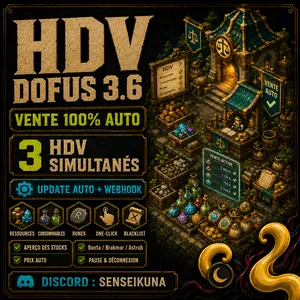
HDV AUTO Sell Your Entire Bank in One Click
SSenseikuna
This HDV script lets you sell all the resources in your bank easily and in an optimized way, in lots of 1000, 100, 10 and 1. You don't have to enter…
View details →
AUTO XP 1-200 TEAM ADVANCED AI & HDV SALES
SSenseikuna
Launch the leader, come back with the whole team at level 200. From 2 to 8 characters, all classes: the bot handles zones, fights, gear, kamas, bank…
View details →