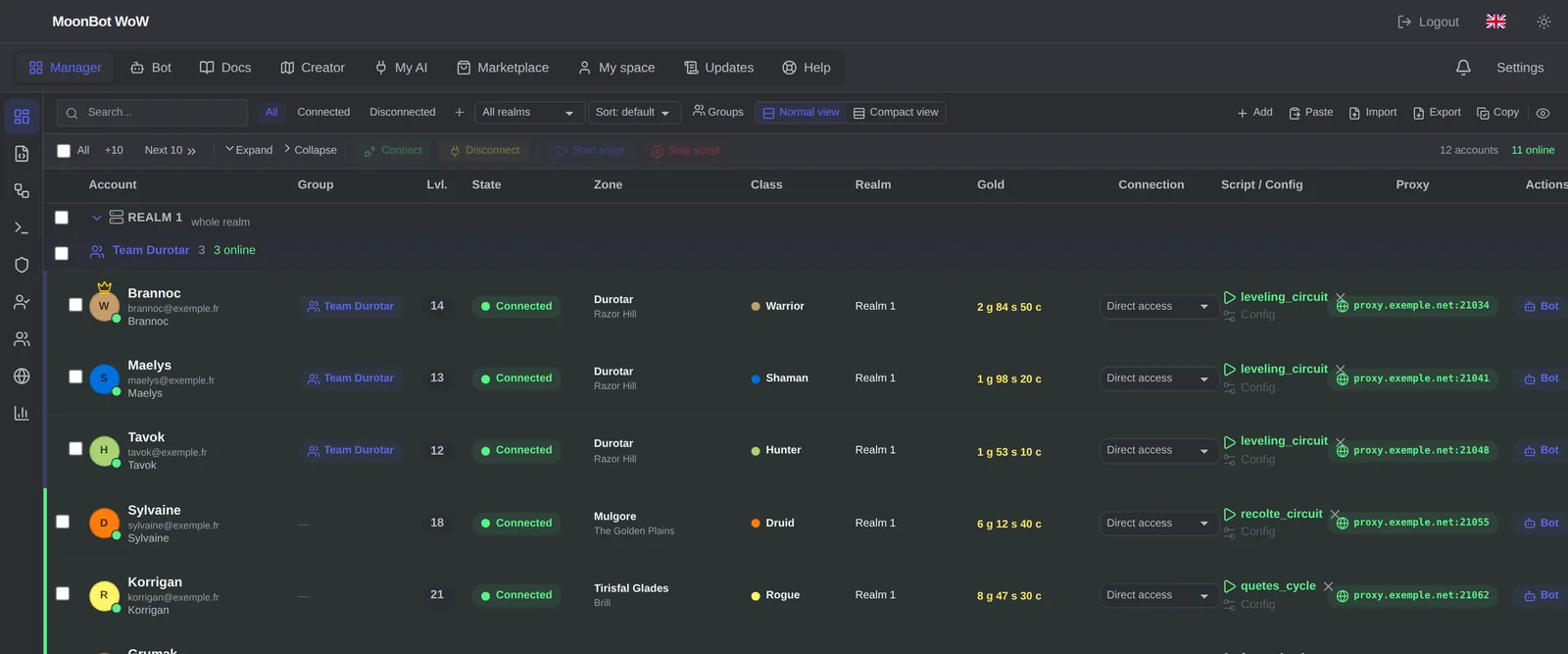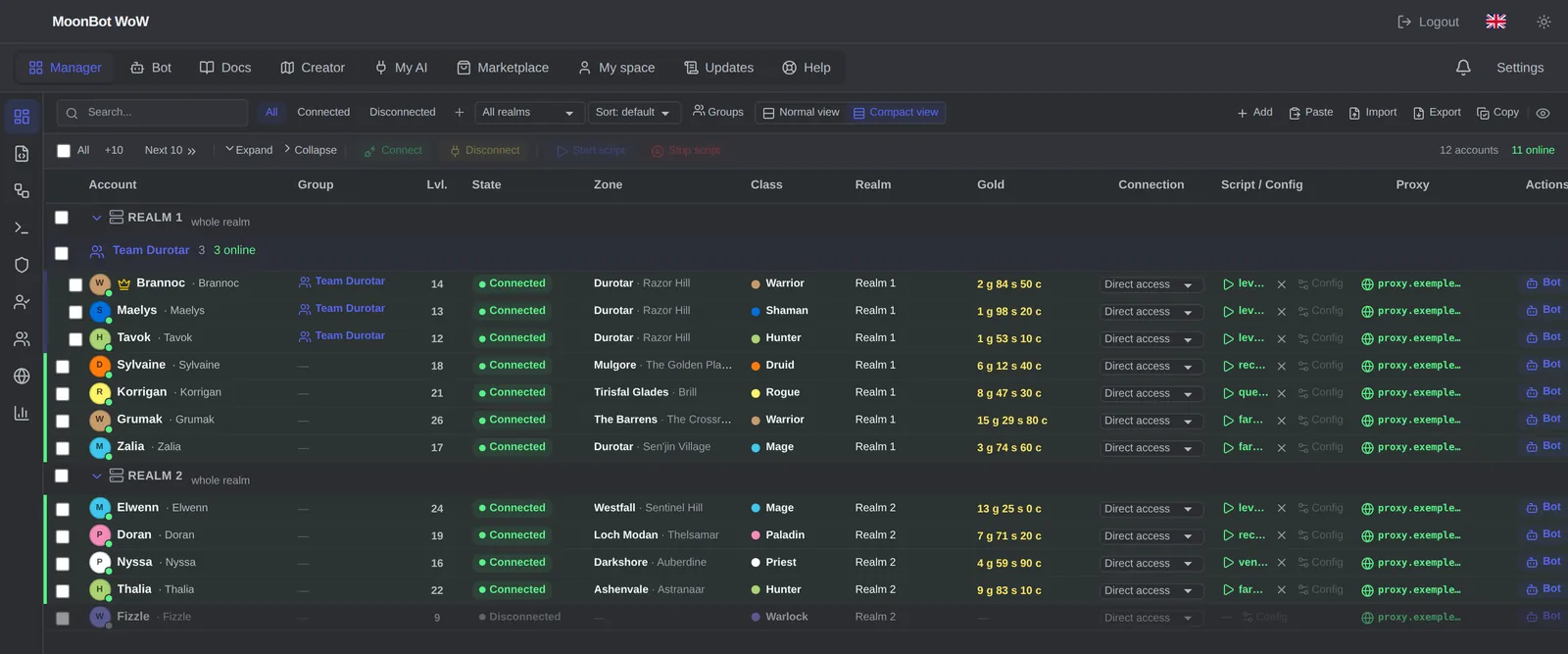
A WoW Forever grind bot is a loop: pick a creature, fight it, loot it, rest, start again, then sell when the bags are full. It is also the best-proven part of MoonBot WoW today: combat (auto-attack and spell rotation), looting, resting and selling to the vendor are the functions that have been seen working in game. This guide shows how to set up that loop in three ways: without code in the script creator, without code in the rotation editor, or in Lua with the engine's libraries.
Everything below describes the app as it is online on November 17, 2026. MoonBot WoW is a cloud bot: the character plays on our servers and you follow it from your browser, with your PC off if you like. For the big picture (what you need to start, prices, limits), read the WoW Forever bot guide first.
The farming loop, step by step
| Step | What the bot does | What you set |
|---|---|---|
| Target | It only targets the creatures on your list, the closest first. It engages neither a player nor a creature already taken by another player | The list of allowed creatures, the search radius, the level window |
| Combat | Auto-attack, plus your rotation: at each combat step, the first valid rule runs | The spells and their order of priority |
| Looting | Picked up after the fight | Whether to loot or not |
| Resting | The character rests below a health threshold | The threshold; in Lua, the bag slot that holds the food |
| Bags full | The script stops, or goes to a vendor to sell | Stopping, or a "Sell and repair" step |
Combat, looting, resting and selling to the vendor have been seen working in game. Repairing is written, but it has not been seen working in game yet.
Setting up the spell rotation: three ways
1. "Simple rotation", in the script creator
In the settings of a creator project, the "Simple rotation" is a list of spells. You pick them from your character's spells (the creator reads the spells of a bot that is in game) and say for each one whether it is cast on the target or on self. At each combat step, the bot casts the first spell of the list that is ready. With no spell at all, it only uses auto-attack.
2. The "Rotation" editor, in the bot's Combat tab
Each bot's page has a Combat tab, with a rotation editor: rules sorted by priority, of which the first valid one runs. A rule is an action (cast a spell, attack, stop attacking, use a bag item) and conditions: the spell's target, a finished cooldown, a minimum resource, a maximum distance, an aura missing or present. The rotation is saved on the bot's side; a Lua script loads it when it starts, in two lines given by the documentation, and a change applies the next time the script is started.
3. In Lua, with lib_rotation
The same rotation takes a few lines of code. This block comes from the app's Docs page: these are the rules of a low-level warrior (Battle Stance, Rend, Heroic Strike). The documentation is written in French, hence the French label.
local rotation = require("lib_rotation")
local rot = rotation.new({
    { spell = 2457, target = "implicit", auraMissing = 2457, auraOn = "self", label = "Posture de combat" },
    { attack = true, target = "target" },
    { spell = 772, target = "target", minPower = 15, maxRangeYd = 5, auraMissing = 772, auraOn = "target" },
    { spell = "Heroic Strike", target = "target", minPower = 15, maxRangeYd = 5, when = function(ctx) return ctx.hpPercent > 30 end },
}, { name = "guerrier", between = "between_actions", pace = true, castWaitMs = 10000 })
function tick() local pas = rot:step() ; if not pas.acted then delays:wait("screen_read") end ; return true end- Rules are read from the highest priority to the lowest:
rot:step()runs the first valid one, a single command per step. - A spell is named by its identifier or by its exact English name;
attack = truestarts auto-attack. - Conditions:
auraMissing(the aura is missing),minPower(minimum resource),maxRangeYd(maximum distance), or awhenfunction that receives the character's health, its resource and its target. - Before sending a spell, the engine checks by itself that the spell is learned, that its cooldown is over, that the cost can be paid, and that the target is alive and in range. A rule that is set aside gives the next one its chance.
rot:explain()says, without casting anything, why each rule is accepted or refused: read it before you let the bot act.
Mob farming in Lua: lib_farm
The lib_farm library chains the whole loop: target, combat, looting, resting. This block also comes from the Docs page (comments in French); it reuses the rot rotation from the previous block.
local ferme = require("lib_farm").new({
    allowedEntries = { 1984 },                 -- obligatoire
    rotation = rot, autoAttack = false,         -- ou autoAttack = true sans rotation
    allowInferred = false,                      -- true = engager aussi une cible aux champs déduits (vaut pour chaque tick)
    rest = { food = { case = 3 } },
    approach = { enabled = false },             -- movement:moveTo borné si vrai
    skin = true,                                -- dépeçage des corps après le butin (défaut : préférence skinning)
    roam = { points = { {x, y}, … }, loop = true }, -- sans cible, UN pas du circuit (lib_travel) par tick
    hooks = { onKill = function(vue) end, onStop = function(raison, bilan) end },
})
ferme:installHooks()                            -- onDisconnect, onBagsFull… → ferme:notify (onDeath et onResurrect ne sont plus appelés par le moteur du bot)
function tick() return ferme:tick() endallowedEntriesis mandatory: these are the identifiers ("entries") of the creatures the bot is allowed to attack. No other creature is engaged.rotationplugs in your spell rules; without a rotation,autoAttack = truekeeps to auto-attack.allowInferred = false: the bot only targets creatures whose state it has just received.restgives the bag slot that holds the food.approachchooses between walking to the creature and waiting for it to come in range.skinadds skinning the corpses after looting, for a character that has the profession.roamgives a circuit of points, followed when there is no target left around the character.hookscalls your functions on each kill or when the farm stops, to write to the console for instance.
These two blocks are examples from the app's documentation, to adapt to your character: spell and creature identifiers, circuit points. They have not been tried in game as they stand. In this loop, combat, looting and resting are what has been seen working in game; always start a new script on a character with nothing at stake, and read its console.
The Docs page describes more than 1,300 engine functions, with about fifty guides and complete examples, including mob farming with rotation, looting and resting, leveling on a circuit, and going to the vendor to sell grey items, repair and come back. Eleven example scripts are offered on each bot's Scripts page. The documentation is written in French.
Would you rather not write the script yourself? Since November 17, 2026, the My AI page links your own assistant (Claude, ChatGPT or another MCP client) to your account: it can write, fix and test a Lua script, then start it on a bot. It uses the same functions as these examples, with the same limits.
Farming without code: the script creator
The script creator builds the same farm on a map, with no Lua to write.
- Open the creator and give the script a name.
- In "Bearings from a bot", choose a bot that is in game: the creator takes its position, its zone, its spells and what it sees around it.
- Add a "Fight" step and click on the map to place the points of the farming route.
- Add the allowed creatures, picking from what the bot sees or typing their identifier; set the search radius and, if you wish, a maximum number of kills.
- In the project settings, set the "Simple rotation", resting below a health percentage, looting and the creature level window.
- To empty the bags, add a "Sell and repair" step in the "Bags full or repair due" moment, near a vendor standing outdoors: it must be within ten yards.
- Click "Save to my scripts", then start the script from the bot's Scripts page.
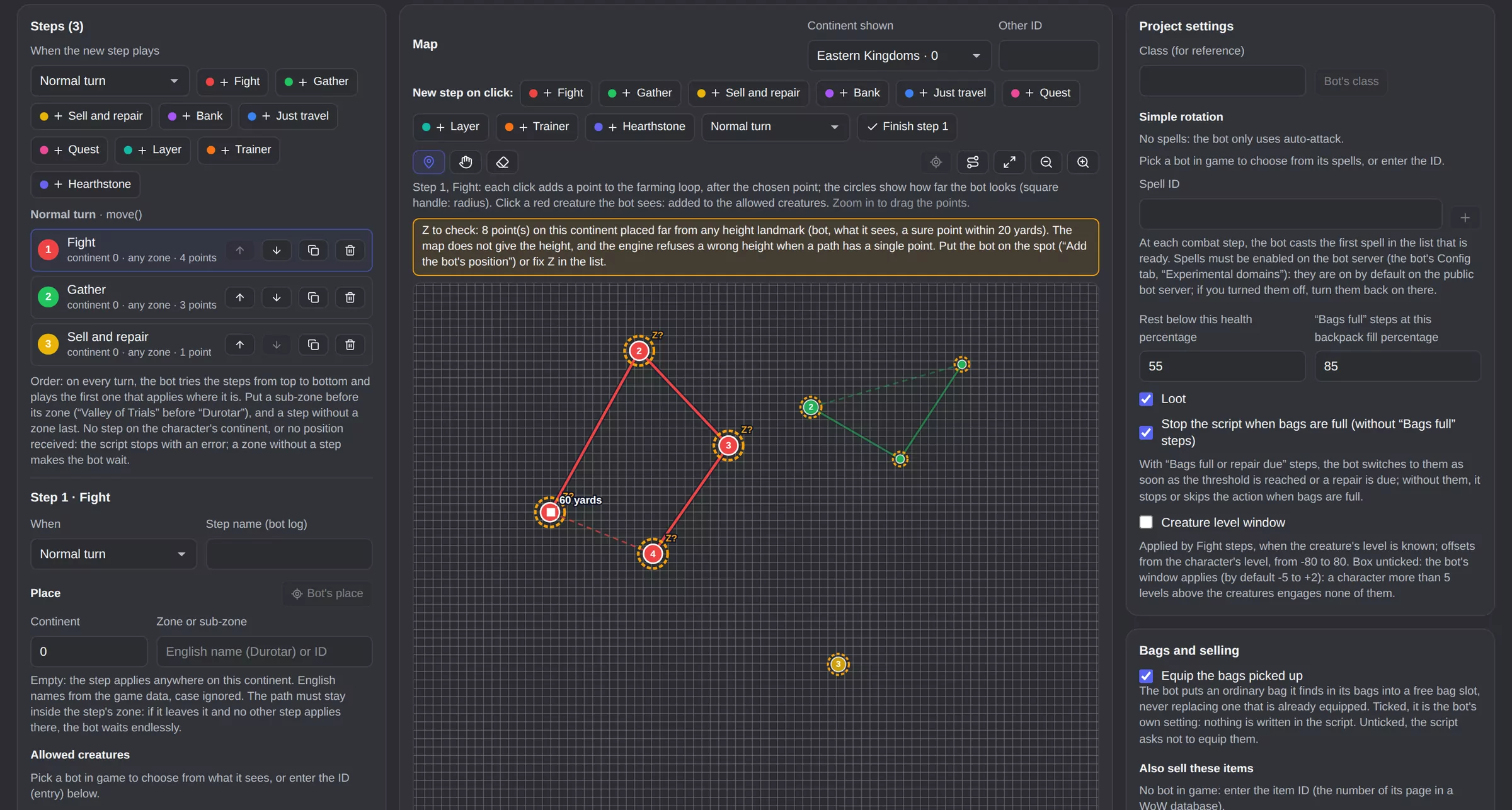
The preview shows the generated Lua, read-only. The route is followed in straight lines from one point to the next, with no obstacle avoidance: place points close together around obstacles. Each different script saved or exported counts as one creation: 10 a day on the Beginner plan, 50 on Standard, with no limit on Pro and Expert.
Following the farm: console, script state, alerts
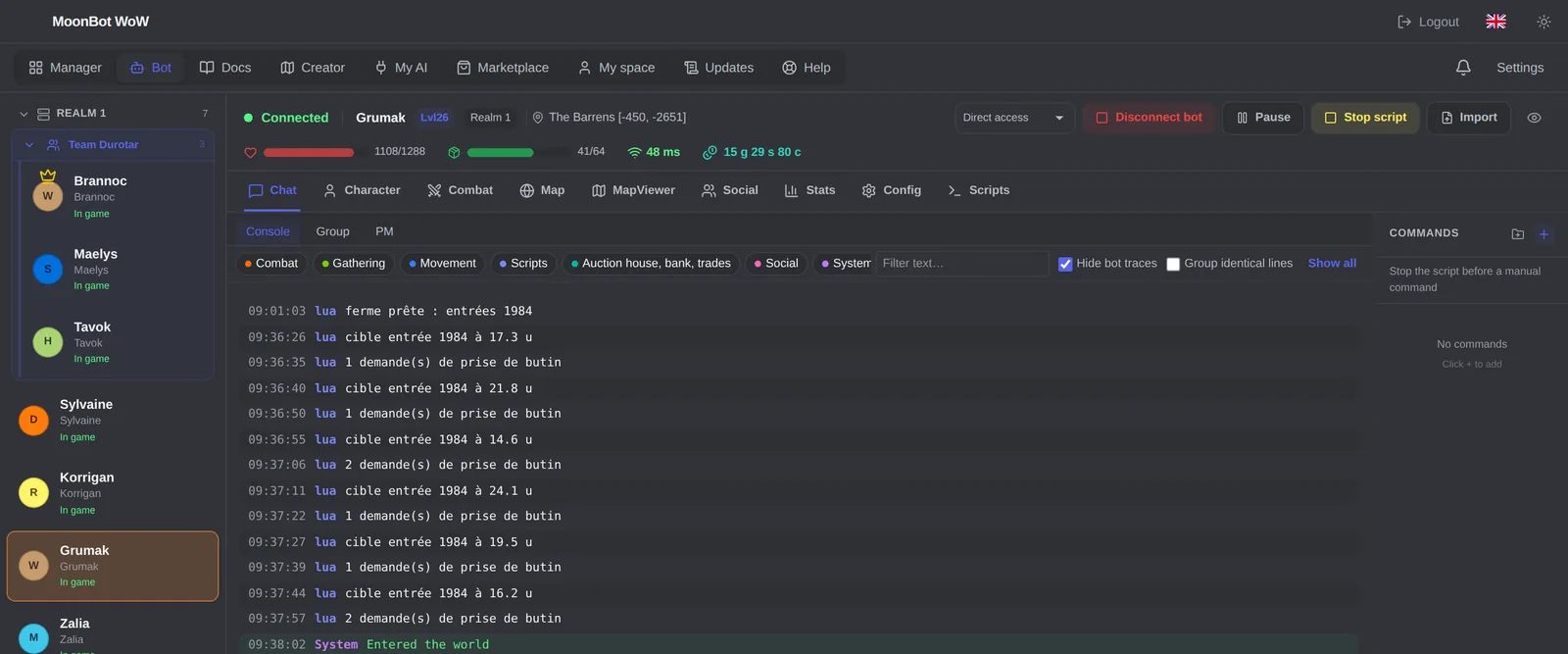
A bot's page shows its health, bags, gold and console, live. Each script writes its own lines there; those in the screenshot below are the lines of the example farming script (written in French): the chosen target and its distance, then the loot requests. Filters sort the console by family (combat, gathering, movement, scripts).
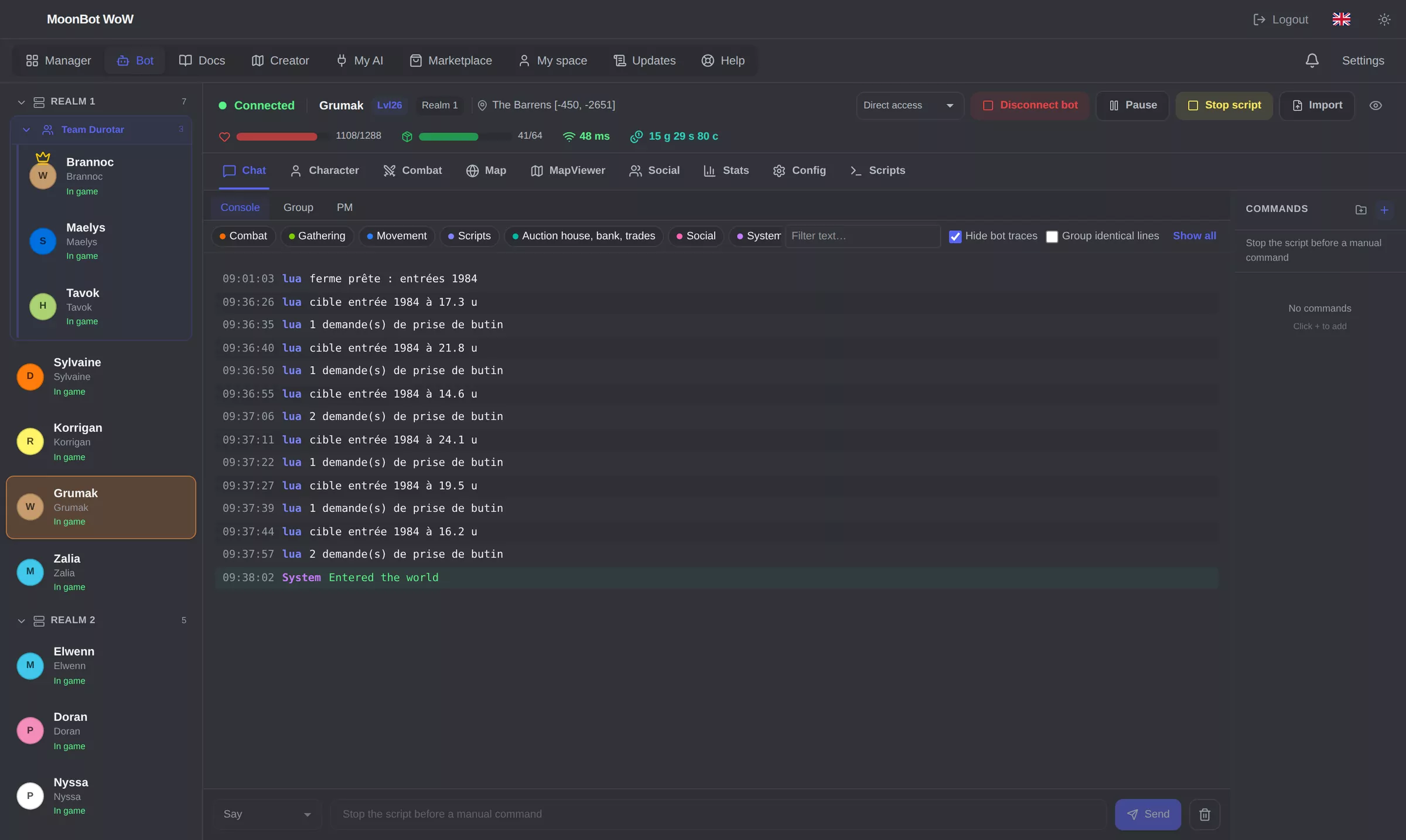
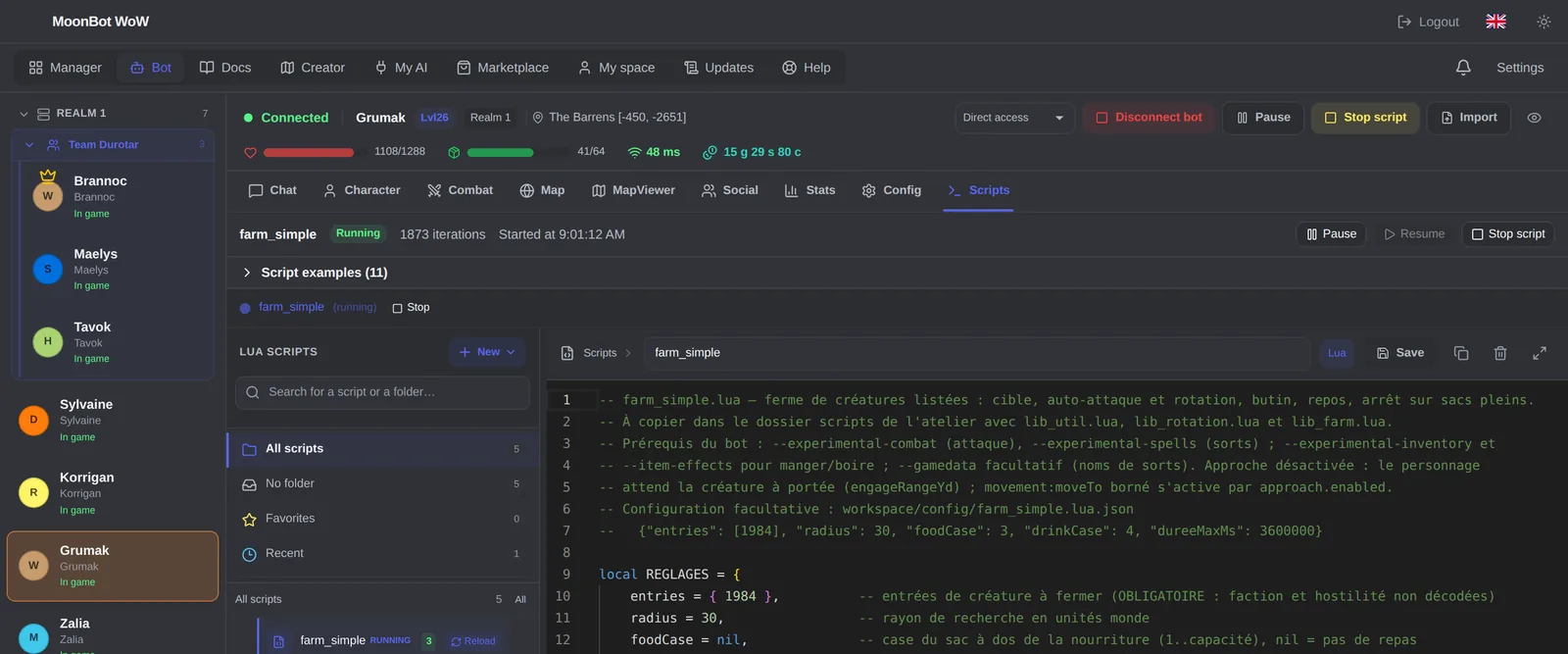
The Scripts page shows the script's state (running, paused, stopped) and its number of iterations. Two Discord alerts can warn you: "Script stopped on its own" and "Bot disconnected and stopped". The Statistics page tracks the XP and gold earned per bot and per realm.
The limits to know before starting a farm
- Death. The script stops. The bot does not run back to its corpse; the "Resurrect at the graveyard" button brings the character back if the spirit healer is very close, otherwise you resurrect it yourself in game, then start the script again.
- Routes. Straight lines between your points, with no obstacle avoidance. The bot refuses ground that is too steep and does not enter buildings.
- Targets. Only the creatures on your list. The bot never fights back against a player or a guard.
- Levels. With the default window (from −5 to +2 levels), a character more than 5 levels above the creatures engages none of them: widen the window.
- Dungeons. No: the bot does not move inside an instance.
- Rotation only. MoonBot WoW is not an assistant that plays your rotation while you hold the keyboard: it is a full bot that plays the character.
- One script at a time per bot; after a bot server update, you restart your bots yourself.
Prices and risks
You choose a MoonBot WoW plan by the number of game accounts: €49.99 per month for 5 accounts, €99.99 for 15, €189.99 for 40 and €500 with no account limit, with 30% off yearly. There is no free plan and no trial, and you need one proxy per game account: your own, or one bought in the app, from €1.60 to €2.20 per month depending on the plan. The full grid is on the MoonBot WoW Forever bot page, and the other bots on the market are in our WoW Forever bot comparison.
Using a bot is against Blizzard's rules, which also forbid selling gold or items obtained in game outside the game: your account can be suspended or closed (see what Blizzard's rules say). No bot can promise the absence of risk. MoonBot is independent third-party software, not affiliated with Blizzard Entertainment: you use it at your own responsibility.
How to get started
- Create your account on wow.moon-bot.io, with a username and a password or in one click with Discord.
- Choose a plan in My space › Subscription.
- Add your game account in the Manager, assign it a proxy, then click "Connect".
- Build your farm in the script creator, or load an example script on the bot's Scripts page and adapt it.
- Start the script and follow the console.
A question about a rotation or a script? The MoonBot Discord is there to help. To run the same farm on several characters, see multi-account play on WoW Forever.